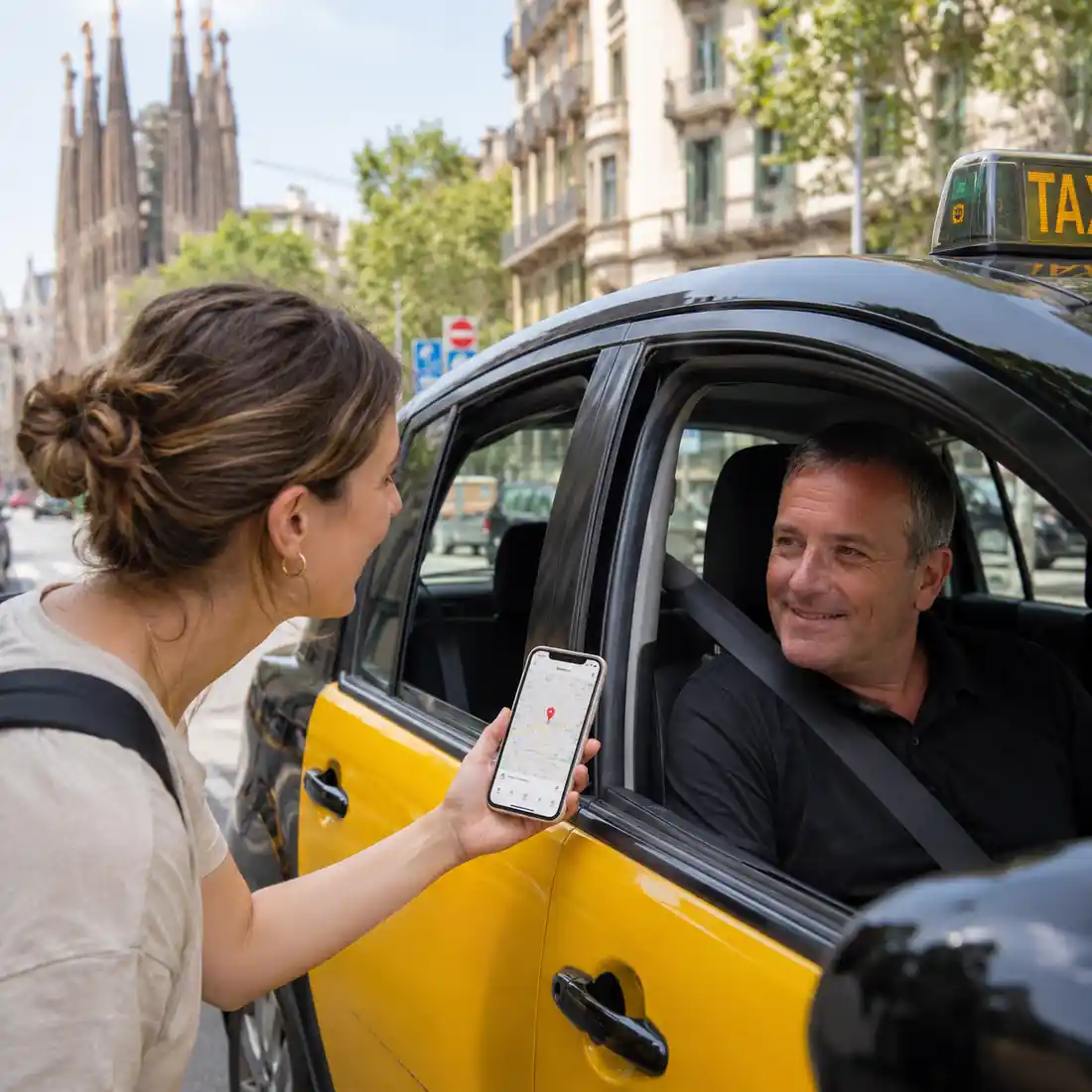
Getting into a taxi in Barcelona is usually easy. The harder part starts when you need to explain exactly where you want to go.
Maybe your hotel name sounds different in Spanish. Maybe the driver asks which entrance you need. Maybe your destination is inside the Gothic Quarter where streets are narrow and confusing. Or maybe your phone signal drops right when you need to show the address.
This is where Google Maps can save the ride.
You do not need perfect Spanish to communicate with a Barcelona taxi driver. You only need to prepare your destination clearly, show the right screen, and know a few simple tricks. Google Maps can help you show the address, drop a pin, save offline maps, share a route, and sometimes even read place names out loud in the local language.
This guide is for non-Spanish-speaking tourists who want a simple way to handle taxi communication in Barcelona without stress.
Why Google Maps Helps So Much in a Barcelona Taxi
Most taxi problems do not happen because the driver does not want to help. They usually happen because the destination is not clear enough.
Barcelona has many streets with similar names. Some hotels have more than one entrance. Some restaurants are inside pedestrian zones. Some pickup points at the airport, cruise port, Sants station, and busy squares need more detail than just the place name.
Google Maps gives your driver three useful things:
- The exact destination name
- The full address
- The map location or pin
That means even if you cannot pronounce the street name correctly, your driver can still understand where you need to go.
Book your Taxi Ride Barcelona and Airport Transfer Barcelona from TAXXILO.COM.
TAXXILO also offers Premium Airport Transfer with discounted prices.
Before You Enter the Taxi, Open the Destination on Google Maps
The best moment to prepare is before the ride starts.
Do not wait until you are already sitting in the taxi with bags around your feet and the driver waiting for instructions. Open Google Maps first and search your destination.
For example:
- Hotel name
- Restaurant name
- Apartment address
- Cruise terminal
- Train station
- Airport terminal
- Tourist attraction
Once the place appears, check that the city says Barcelona or the correct nearby town. This matters because some hotel chains and restaurants have several branches.
A good screen to show your driver includes:
- Place name
- Full address
- Map pin
- Route preview
Just saying “Hotel Barcelona” is not enough. Showing the Google Maps location is much better.
Show the Driver the Address, Not Only the Place Name
Many tourists show only the big place name on the phone. That helps but it may not be enough.
Always scroll or tap until the full address appears.
A driver may know the area but still need the street number. For example, “Carrer de Mallorca” is a long street. Without the number, the driver may not know the exact point.
A better way is to show:
Hotel Example
Hotel Name
Carrer de Mallorca 401
08013 Barcelona
Spain
This gives the driver a clear target.
If the driver still looks unsure, tap the route button so they can see the map path and final pin.
Use the “Drop a Pin” Trick When the Address Is Confusing
Sometimes Google Maps does not show the exact entrance. This happens with large hotels, apartment buildings, beaches, parks, event venues, shopping centers, and old city streets.
The simple fix is to drop a pin.
Open Google Maps, press and hold the exact spot on the map, then show that pin to the driver. This is especially useful when you are going to:
- A hotel side entrance
- A private apartment
- A beach pickup point
- A festival or concert gate
- A cruise terminal area
- A restaurant inside a narrow street
- A meeting point without a normal address
Dropped pins are often clearer than written addresses because the driver can see the exact road access point.
For example, if you are going to Palau Sant Jordi for a concert, the driver may need to know the best drop-off point rather than only the venue name. A pin near the correct entrance can avoid walking too far.
Understand Barcelona Address Words: Carrer, Calle, Avinguda and Plaça
One small problem for tourists is that Barcelona uses Catalan street names. You may also see Spanish versions in some places.
Here are the most useful words:
| Local Word | Meaning in English | Simple Note |
|---|---|---|
| Carrer | Street | Similar to “Calle” in Spanish |
| Calle | Street | Spanish version |
| Avinguda | Avenue | Large road |
| Plaça | Square | Public square |
| Passeig | Boulevard or promenade | Often a major street |
| Rambla | Wide walking street | Common in Barcelona |
| Ronda | Ring road or avenue | Often used for larger roads |
If your booking says “Carrer” and you say “Calle”, it is usually fine. The important part is the street name, number, and map location.
For example:
Carrer de València 250
This means Valencia Street number 250.
You do not need to pronounce it perfectly. Just show the address on Maps.
Use Google Maps Voice or Translation Tools for Place Names
On many phones, Google Maps can help with pronunciation or connect with translation features depending on your app version and language settings.
If you see a small speaker icon near a place name or address, tap it. Your phone may read the location out loud. This can help when the driver understands the local pronunciation better than your accent.
For longer messages, use Google Translate separately. You can type a short sentence and show it to the driver.
Useful examples:
English: Please take me to this address.
Spanish: Por favor, lléveme a esta dirección.
English: Is this the correct entrance?
Spanish: ¿Es esta la entrada correcta?
English: Can you stop near this pin?
Spanish: ¿Puede parar cerca de este pin?
Keep sentences short. Do not write a long paragraph. Drivers can understand simple instructions faster.
Download Offline Maps Before You Travel
Internet problems happen more often than tourists expect.
You may lose signal at the airport, underground car parks, train stations, hotel lobbies, or crowded event areas. Roaming data can also fail when you arrive.
That is why offline Google Maps is a smart idea.
Before your trip:
- Open Google Maps
- Search Barcelona
- Tap the city or map area
- Choose offline map download
- Save the Barcelona area
This lets you open saved maps even with weak data. You may not get live traffic or every real-time feature but you can still show streets, addresses, and pins.
For a tourist in a taxi, that is often enough.
Save Your Hotel, Airport and Main Stops in Advance
The easiest taxi communication is the one you prepare before leaving the hotel.
Save these places in Google Maps:
- Your hotel
- Barcelona Airport Terminal 1 or Terminal 2
- Barcelona Sants Station
- Cruise port terminal
- Main restaurant booking
- Event venue
- Apartment location
- Return pickup point
Use labels like:
- My Hotel
- Airport Pickup
- Cruise Terminal
- Tonight Dinner
- Return Point
When you are tired or in a hurry, you can open saved places faster instead of searching again.
This is especially useful after a long flight or late-night event.
Share the Route With the Driver When Needed
Some drivers will already know the best route. Still, there are moments when showing the route helps.
Use route sharing when:
- You want a specific hotel entrance
- You are going to a private apartment
- You need a child-friendly pickup point
- You are visiting a less common town near Barcelona
- You are going outside the city
- You are worried about the wrong destination
Tap “Directions” in Google Maps and show the route preview. You do not need to argue about every turn. Just show the final destination and let the driver confirm.
If the driver chooses a different road because of traffic, roadworks, or taxi access rules, that can be normal. Barcelona has one-way streets, bus lanes, pedestrian areas, and restricted zones.
Use the Map Pin for Pickups Too
Google Maps is not only useful for drop-offs. It also helps when explaining where you are waiting.
This matters a lot in Barcelona because some places are difficult for taxi pickup:
- Plaça de Catalunya
- La Rambla
- Gothic Quarter
- Barceloneta beach area
- Camp Nou event areas
- Montjuïc venues
- Cruise port
- Airport terminals
- Large hotels with more than one entrance
Instead of saying “I am outside the hotel”, send or show the exact pin.
If you booked a private transfer, you can also share the pin with the company or driver through WhatsApp.
Airport Taxi Communication: Terminal 1 and Terminal 2 Matter
Barcelona Airport has different areas. Saying “Barcelona Airport” may not be enough.
You should know:
- Terminal 1 is often written as T1
- Terminal 2 is often written as T2
- Terminal 2 has different areas like T2A, T2B, and T2C
- Some pickup rules depend on whether it is taxi, private transfer, or ride-hailing style service
If you are going to the airport, show the exact terminal on Google Maps or tell the driver your airline.
If you are arriving at the airport, keep your pickup point clear. If your driver or transfer company gives a meeting point, save it in Maps before landing.
Cruise Port and Sants Station: Always Show the Exact Point
Barcelona cruise port and Sants station can be confusing for tourists.
For the cruise port, one terminal can be far from another. A general pin for “Port de Barcelona” may not be enough.
Try to show:
- Cruise terminal name
- Ship name if needed
- Exact passenger pickup area
- Pin shared by the company or cruise documents
For Barcelona Sants Station, show whether you need:
- Main entrance
- Taxi rank
- Hotel nearby
- Specific street side
A clear pin can save time and walking with luggage.
What to Do If the Driver Does Not Speak English
Do not panic. Many taxi rides work perfectly with almost no spoken conversation.
Use this simple order:
- Smile and say hello
- Show the Google Maps destination
- Point to the full address
- Tap directions if needed
- Use Google Translate only for extra details
You can say:
“Hola, aquí por favor.”
This means: Hello, here please.
Then show the destination.
Most of the time, that is enough.
Quick Spanish Phrases for Taxi Rides
You do not need to speak Spanish fluently. These short phrases can help.
| English | Spanish |
| Hello | Hola |
| Here please | Aquí por favor |
| This address please | Esta dirección por favor |
| Airport Terminal 1 | Aeropuerto Terminal 1 |
| Airport Terminal 2 | Aeropuerto Terminal 2 |
| Can you stop here? | ¿Puede parar aquí? |
| How much is it? | ¿Cuánto cuesta? |
| Thank you | Gracias |
| I do not speak Spanish | No hablo español |
Even if your pronunciation is not perfect, showing the map at the same time makes the message clear.
When Google Maps Is Not Enough
Google Maps is very helpful but it does not solve everything.
It may not know the best taxi stop during a football match, concert, strike, road closure, or local event. It may also send cars toward a restricted street or pedestrian area.
In those cases, trust local access rules. A driver may stop nearby because they cannot legally enter the exact street.
This is common in:
- Gothic Quarter
- El Born
- La Rambla side streets
- Beachfront zones
- Montjuïc event roads
- Old town hotel areas
If the driver stops a short walk away, check the map before assuming the ride is wrong. Sometimes that is the closest legal or practical drop-off point.
Best Method for Non-Spanish Tourists
Here is the simplest method:
- Save your destination before the ride
- Open it in Google Maps
- Show the full address to the driver
- Use a dropped pin for exact entrances
- Download offline maps before traveling
- Use short Spanish phrases if needed
- Use Google Translate for anything more detailed
This is the easiest way to handle the common “Barcelona taxi no Spanish Google Maps” problem without stress.
Why Pre-Booking Can Be Easier Than Explaining Everything in the Taxi
Google Maps helps a lot during normal taxi rides. But if you are arriving with family, luggage, children, or a late-night flight, pre-booking can make the trip smoother.
With a pre-booked airport transfer or city ride, your pickup address, destination, flight time, luggage details, and passenger count are already shared before the driver arrives.
That means less confusion and less explaining when you are tired.
For airport pickups, hotel transfers, cruise port rides, and group travel, this can be much easier than trying to organize everything on the street.
Final Thoughts
You do not need Spanish to take a taxi in Barcelona with confidence. You just need to make your destination easy to understand.
Google Maps helps you show the driver the exact place, the full address, the correct entrance, and even a pin when normal address details are not enough. Offline maps help when your data fails. Translation tools help when you need a little more than pointing at the screen.
The key is simple: prepare the location before the ride starts.
That one habit can save confusion, wrong turns, stress, and awkward taxi moments in Barcelona.
Book your Taxi Ride Barcelona and Airport Transfer Barcelona from TAXXILO.COM.
TAXXILO also offers Premium Airport Transfer with discounted prices.
FAQs
Can I take a Barcelona taxi if I do not speak Spanish?
Yes. Many tourists take taxis in Barcelona without speaking Spanish. The easiest method is to show the full destination address on Google Maps and use simple phrases like “aquí por favor” or “esta dirección por favor.”
Should I show the taxi driver the Google Maps route?
You can show the route preview if the destination is confusing. The driver may still choose a different road because of traffic, road restrictions, taxi access rules, or local knowledge.
What is the best way to show an apartment address to a taxi driver in Barcelona?
Open the exact address in Google Maps and show the full street name, number, and pin. If the entrance is hard to find, drop a pin on the exact doorway or pickup point.
What does Carrer mean in Barcelona addresses?
Carrer means street in Catalan. You may also see Calle, which is the Spanish word for street. In Barcelona, many official addresses use Catalan words like Carrer, Avinguda, Plaça, and Passeig.
Can Google Maps work in Barcelona without internet?
Yes, if you download the Barcelona area as an offline map before your trip. Offline Maps can help you show streets and saved places when mobile data is weak or unavailable.
Is Google Translate useful in a taxi?
Yes. Use Google Translate for short messages only. Simple sentences like “Please take me to this address” or “Can you stop near this pin?” are easier for a driver to understand.
What should I do if the driver cannot stop exactly at my pin?
Some streets in Barcelona have restrictions or limited access. The driver may need to stop nearby. This is common in old city areas, event zones, and pedestrian streets.